ACF Field Names, Field Keys, and WordPress Meta Values Explained
Understand how ACF field labels, names, keys, and WordPress post meta differ, then read and query values without guessing their shape.
 Tayyab Rehman
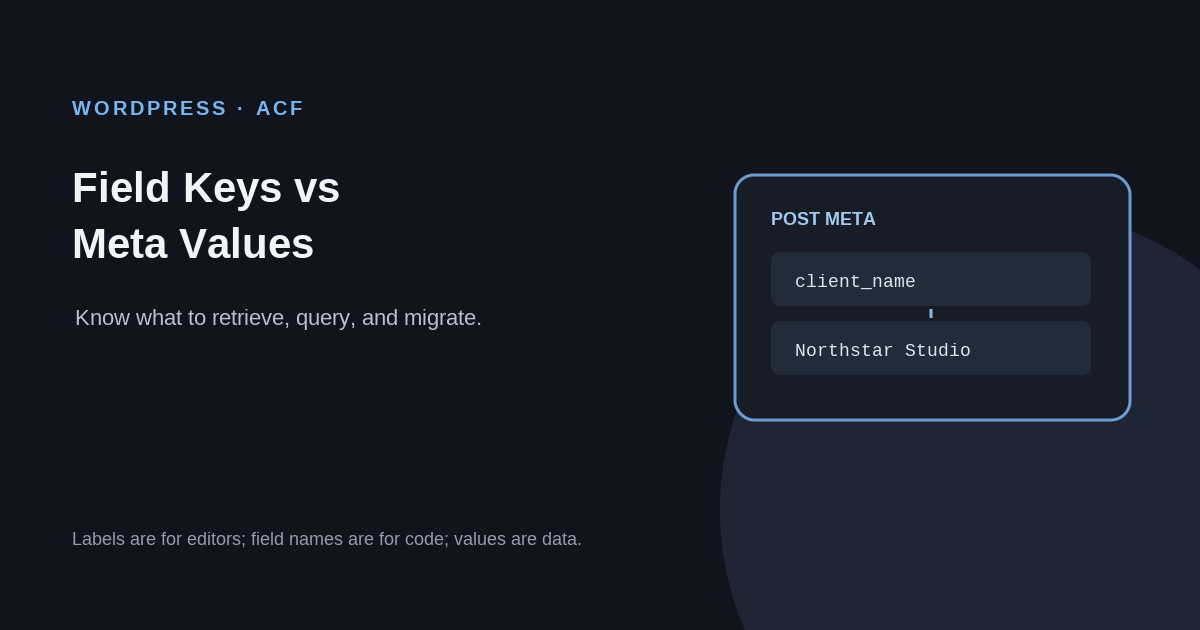
An ACF field label is for editors, a field name identifies the value in code, and a field key identifies the field definition to ACF. WordPress stores custom post metadata separately from the main post record. Knowing which identifier you have prevents common mistakes such as querying by the editor label, treating a field key as a saved value, or assuming every ACF field returns a simple string.
This guide uses a project post with an ACF text field named client_name and a relationship field named related_services. The exact stored shape depends on the field type and ACF configuration; inspect real metadata on a staging post before writing an import, query, or migration.
What are the four ACF terms?
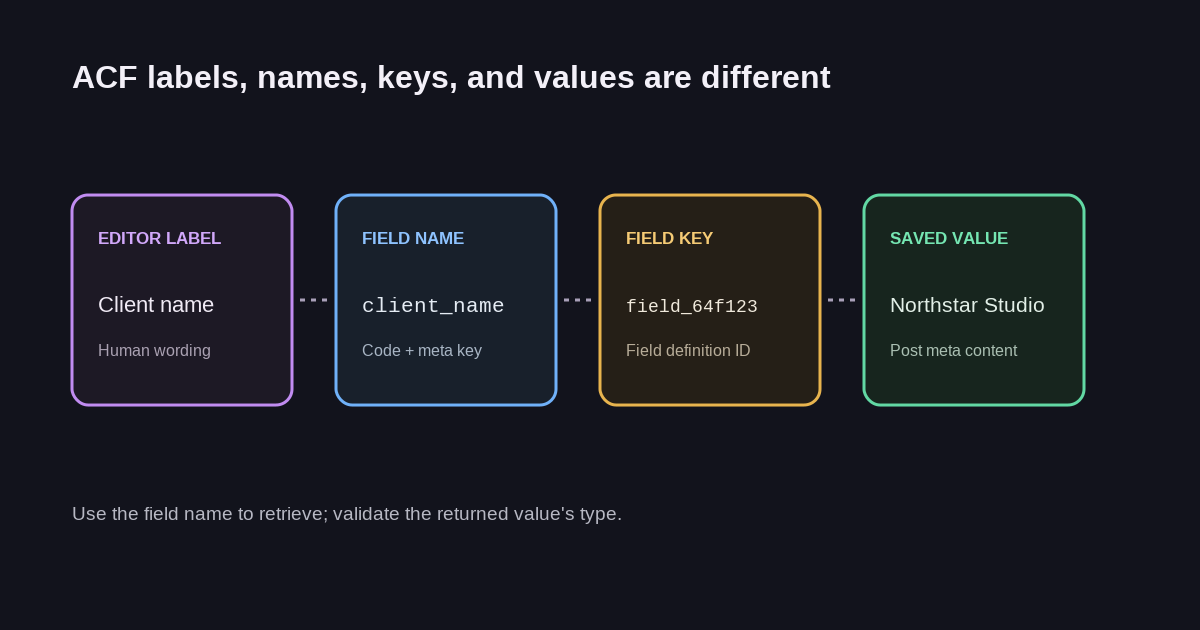
An ACF field has several identifiers that serve different purposes:
| Term | Example | Purpose |
|---|---|---|
| Field label | Client name | Human-readable editor interface |
| Field name | client_name | Programmatic name and common post-meta key |
| Field key | field_64f123abc | Identifies the ACF field definition |
| Field value | Northstar Studio | The value entered or selected for a post |
Use the field name when calling get_field( 'client_name', $post_id ). A field label may change for clarity without requiring template code to change. A field key is not the actual text entered by the editor. ACF can also store a hidden reference entry such as _client_name whose value points to the field key; that reference is not the user-facing value.
WordPress post meta is a key-value store associated with posts. Multiple metadata rows can share a key, so get_post_meta( $post_id, 'client_name', true ) requests a single value while omitting the third argument returns an array of values. The WordPress API returns metadata in PHP values, but its shape can differ by field type and storage convention.
How do you read an ACF value safely?
For a text field, get_field() is usually the most convenient option because ACF applies its field-aware formatting:
<?php
$client_name = get_field( 'client_name', get_the_ID() );

if ( is_string( $client_name ) && '' !== trim( $client_name ) ) :
    ?>
    <p class="project-client">
        Client: <?php echo esc_html( $client_name ); ?>
    </p>
<?php endif; ?>
The output check makes the expected value type explicit, and esc_html() protects the text context. If the value is a URL, use esc_url(); if it is an attribute, use esc_attr(). If the field intentionally contains permitted rich text, follow a reviewed sanitization and output strategy rather than echoing arbitrary markup.
The direct metadata API can be appropriate for low-level inspection or a known simple field:
$client_name = get_post_meta( get_the_ID(), 'client_name', true );
Use ACF's formatted API when your code depends on a Relationship, Image, Link, or other field's configured return format. The raw stored value may be an ID or an encoded structure, while the formatted result can be a URL, object, or array. A template should handle the documented format it configured, not whichever shape happened to appear during one test.
Why might get_post_meta() return an array, number, or serialized data?
The storage shape reflects the field. A text field may look like a string; a true/false field may be represented as a stored scalar; a relationship may contain multiple post IDs; a repeater or flexible layout may use a group of related meta keys. WordPress may unserialize stored values when reading them. ACF can then format those values based on the field definition.
Do not assume that every value is a string or that the database representation is the intended public API. For example, an Image field may be configured to return an attachment ID, URL, or image array. If you change that setting, templates expecting the previous shape can fail. Document the chosen setting and test representative saved records after changes.
For the ACF name client_name, WordPress may have a client_name row containing the entered value and a _client_name reference row containing an ACF field key. In contrast, a repeater subfield can use numbered names. These implementation details matter during low-level SQL or migrations, but ordinary templates should prefer get_field() and field-aware APIs.
How can you inspect the actual saved metadata?
Use a local or staging environment with a non-sensitive test post. A temporary administrator-only diagnostic can list keys without printing values:
$post_id = get_the_ID();
$meta = get_post_meta( $post_id );

foreach ( array_keys( $meta ) as $meta_key ) {
    error_log( sprintf( 'Post %d has meta key: %s', $post_id, $meta_key ) );
}
Avoid logging customer data, authentication tokens, addresses, or private field contents. Remove the diagnostic after use and do not expose arbitrary metadata through a public endpoint. If you need values, inspect only the specific test key and redact the result before sharing.
For database-level investigation, use WordPress APIs or a trusted database tool and first verify the environment. A query against wp_postmeta can show post_id, meta_key, and meta_value, but the table prefix is configurable. Never run an update query on production simply because a value looks encoded; take a backup and prove the migration on a copy first.
How do you query by a meta value?
For a simple scalar field such as a status or region, WP_Query can match the metadata key and value:
$projects = new WP_Query(
    array(
        'post_type'      => 'project',
        'post_status'    => 'publish',
        'posts_per_page' => 12,
        'meta_query'     => array(
            array(
                'key'     => 'project_region',
                'value'   => 'north',
                'compare' => '=',
            ),
        ),
    )
);
Use the field's name as the key and match the stored value, not the label or field key. For numeric values, specify the expected type and cast input appropriately; do not concatenate untrusted request values into SQL. For a Relationship field, the stored array may be serialized, so an exact ID token query and a LIKE comparison may be needed. That approach is explained with caveats in the ACF post-type relationship guide.
Meta queries are useful for moderate content sets and can become expensive when they scan a large metadata table. If a value is frequently used for filtering, consider whether it belongs in a taxonomy, a dedicated indexed data model, or a purpose-built relationship table. Use query monitoring and representative production-like data before making a schema decision.
What happens when you rename a field?
Changing an ACF field's label is generally different from changing its name. Templates and queries reference the name; data saved under the old name may remain there after a rename. ACF field definitions and hidden key references may also affect how an existing value is interpreted. Before renaming:
- Search templates, PHP, JavaScript, REST registrations, exports, and
meta_queryarrays for the old name. - Back up the database and record a few sample values.
- Update code and field configuration together on staging.
- Decide whether old metadata must be migrated or can be left unused.
- Test old posts, new posts, empty values, imports, and API responses.
Do not perform a blanket search-and-replace in serialized metadata. Serialized lengths and nested values can make raw text replacement corrupt data. Use WordPress APIs or a migration tool that understands the data structure, and keep a tested restore point.
How do values behave in exports and the REST API?
An export may contain formatted data or raw post meta, depending on the tool. An ACF Relationship field exported as post IDs cannot be imported safely by copying those IDs into another database unless the corresponding records keep the same IDs. A REST response can expose ACF values only when the integration is configured to do so; do not assume a private field is public or that a post's meta becomes available automatically.
Before building a sync, define the contract: which field name is exchanged, what type is expected, whether an empty value means “clear” or “leave unchanged,” and how references are mapped. Validate incoming values server-side and restrict who can write them. If using update_field(), ACF recommends using the field key when saving a value for a post that does not yet have a saved field reference; confirm the field key and value format for the field type. Never accept a client-provided post ID without checking permissions and the target post type.
For a one-off migration, log counts rather than personal values: number of records read, mapped, updated, skipped, and failed. Run the migration on a database copy first, make it idempotent where possible, and keep a backup that can be restored. That process is safer than editing serialized metadata directly in SQL.
A short field-value checklist
- Use labels in editor-facing documentation, names in code, and keys for field-definition references.
- Use
get_field()when you need ACF's formatted result; useget_post_meta()when you intentionally need raw metadata. - Check the configured return format and validate its PHP type before rendering.
- Escape output for its exact context.
- Inspect real sample values before writing a query or migration.
- Treat large meta queries and private fields as design and access-control concerns.
For exact behavior, consult ACF's get_field() reference and field types, plus WordPress's get_post_meta() and WP_Query meta query documentation. To choose a structure that editors can build consistently, see the guide to ACF Flexible Content layouts and template parts.